
Octopus EV Charger: What to Check Before You Pair It With a Tariff
The Short Answer
An Octopus EV charger is a home charger that names your Octopus tariff on its compatibility list. Check that name, decide whether the charger or the car sets the schedule, and look at what the app shows you. The Hypervolt Home 3 Pro and the Ohme Home Pro both name Octopus Intelligent Go.
What does "integrated with Octopus" mean on a charger?
An integrated charger has been set up by its maker to work with a named tariff. A charger with only a timer needs you to type in the cheap hours yourself. Look for your tariff by its exact name, not a general line about Octopus.
The Hypervolt Home 3 Pro is integrated with Octopus Intelligent Go and other smart tariffs. The Ohme Home Pro integrates with smart electricity tariffs to optimise charging times and costs automatically. Octopus Intelligent Go, Octopus Go and Octopus Agile are separate tariffs, so a charger that suits one does not suit all three.
Our night-tariff checklist covers the four basic checks. Before you switch, also confirm on Octopus's own pages that your exact charger and tariff are paired, because tariff terms change.
Should the charger or the car set the schedule?
Pick one place to set the schedule. A charger-led setup means the charger decides when power flows. A car-led setup means the car's own timer or app decides and the charger simply supplies power. Two schedules in two places can disagree, so set one and leave the other open.
A charger-led schedule stays with the wall unit when you change cars, and it suits a household where more than one person plugs in. Our post on changing your EV covers what happens to the charger then. If you prefer the car to lead, your car's handbook explains its timer and charging settings.
The Hypervolt Home 3 Pro schedules through the Hypervolt Cloud app. The Ohme Home Pro works with the tariff to choose charging times automatically.
Which Octopus tariffs do the Hypervolt Home 3 Pro and Ohme Home Pro name?
Both chargers name Octopus Intelligent Go, Octopus Go and Octopus Agile, and both name British Gas Electric Driver. The Hypervolt Home 3 Pro also names OVO Charge Anytime and E.ON Drive. If you are staying with Octopus, the tariff list will not separate them.

| Charger | Power | Octopus tariffs named | How it connects | Price from |
|---|---|---|---|---|
| Hypervolt Home 3 Pro | 7.4kW / 32A single phase | Octopus Intelligent Go, Octopus Go, Octopus Agile | Wi-Fi 2.4GHz and Ethernet | £624.00 (5m) |
| Ohme Home Pro | 7.4kW / 32A single phase | Octopus Intelligent Go, Octopus Go, Octopus Agile | Built-in 3G/4G SIM | £532.00 (5m) |
Both are rated the same, so the tariff changes when the car charges, not how fast the charger delivers. The difference is how each one connects and what you see on a normal evening. The Ohme Home Pro in the 8m cable costs £658.00.
Hypervolt Home 3 Pro
Ohme Home Pro
What should you check in the app?
Check that the app can set a schedule, show what the charger is doing and let a second driver in. The Hypervolt Cloud app, on iOS and Android, covers scheduling, energy tracking and multi-user access. The Ohme Home Pro has a built-in LCD screen, so you can check status without your phone.

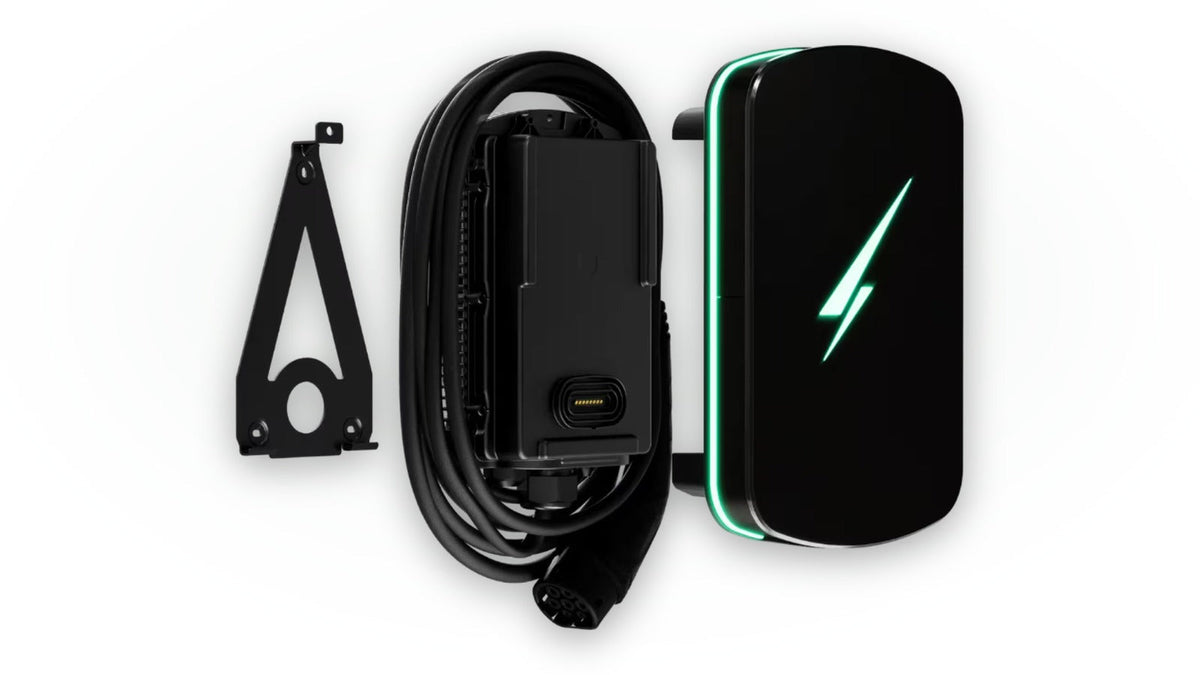
Think about the daily glance. If you want to walk out, look at the unit and know it is running, the Ohme screen does that. The Hypervolt Home 3 Pro has an integrated LED status ring, and its app is where two drivers can each manage a charge. For a household with two drivers, ask who gets access before you buy.
Does the charger need Wi-Fi to follow an Octopus tariff?
A smart charger needs a connection to follow a tariff. The Ohme Home Pro has a built-in 3G/4G SIM, so it needs no Wi-Fi. The Hypervolt Home 3 Pro connects by Wi-Fi 2.4GHz and Ethernet, so it suits a spot with good signal or a short cable run to the router.
A garage wall or the side of the house can sit well away from your router. Test the 2.4GHz signal on a phone at the exact spot, before your electrician fits the charger there.
For the full side-by-side, read Hypervolt Home 3 Pro vs Ohme Home Pro. Browse more options in our home chargers collection, or the solar compatible chargers if you have panels.
Frequently Asked Questions
Do I need a special charger for Octopus Intelligent Go?
You need one that names the tariff. The Hypervolt Home 3 Pro and the Ohme Home Pro both name Octopus Intelligent Go.
Is Octopus Go the same as Octopus Intelligent Go?
No. They are separate tariffs with separate names. Both chargers above name both of them, along with Octopus Agile.
Can I use an Octopus tariff without home Wi-Fi?
The Ohme Home Pro has a built-in 3G/4G SIM and needs no Wi-Fi. The Hypervolt Home 3 Pro connects by Wi-Fi 2.4GHz or Ethernet.